Systems for Editors and the Tools to Implement Them
The following are tasks and systems that are designed specifically for authors. There are notes about tools and how to use them for automation. In some cases, there are links to demos and other materials designed for those who need to learn more. A couple of notes from the outset: these are processes and systems (and software) that The Dude (me) uses and recommends. They may or may not be right for you, and may even inspire you to create or modify your own tools and processes.
You can also assume that some of these links are affiliate links, and that I will get a small commission when you click on them. This does not change how much you pay for software, but sometimes it buys me a coffee or something, which I appreciate. And while I will endeavor to keep this information as accurate as possible, some links may expire, or lifetime deals may no longer be available. In that case, Google is your friend. If you find a tool or a link that is not working, please contact me (email or whatever your preferred method through this website) and I will get it fixed as soon as possible. With that out of the way, let's dive right in!
Prologue: Finding Potential Clients and Getting them to Contact You
This is the first step for editors running a business, and one of the hardest things to do. It involves advertising and marketing, word of mouth, attending conferences, networking online, and being present where writers, who want and need your services, hang out. Most of this process can be automated.
A note on automation and AI:
Automation is not AI and does not have to include AI. Certainly some parts of the process will be enhanced by using AI, but you can deploy many automations without it. Here, we will not engage in the debate about whether or not AI is ethical: whether AI has, or is, stealing from authors is up to courts to decide, but generally, the use of AI for generating social media posts, emails, and handling data falls outside of this debate.
The key is that AI produces drafts of materials that you must then edit before you deploy them. Human intervention is always necessary at this point, and likely always will be. The idea is to create efficiency, not replace humans, especially not the thinking and feeling that goes into the crafting of marketing materials if your desire goes beyond a transaction to creating a relationship with your clients, which it should.
With that out of the way, let's get started on finding and keeping clients, turning them into clientele, while creating efficient systems we can use to make our jobs easier, and free up our time both to edit and to interface with our clients.
Social Media and Email Sequence Automation

One of the ways you will reach authors is through your website, blogging and other publications, and through sharing those blog posts and the services (and products) you offer on social media.
But honestly, who has the time to be on social media all the time? And who wants to be? One of the things you need as an editor is focus. Social media robs that focus, and the distraction can take a lot more time than you think it should.
But don't abandon it entirely! Instead, look at social media automation and how you can still be "you" and personalize your social channels without the need to be constantly present, including answering messages.
Tool Tip: The tool I use for social media automation is called VistaSocial. I got a lifetime deal on it from AppSumo, and it has some great features. It's better (and cheaper) than Hootesuite and some of the other options out there, and more are being added all the time. Check it out using the button below, and use the coupon code: Gn3TMZWy at checkout to save 10%!*
*this is one of those affiliate links I talked about above, but I don't recommend products I don't use
The Process and What You Can Automate (and what you can't)
The first step is marketing, and while some of this, and some advertising, can be automated, that comes with a caveat. As AI frequently makes mistakes, and because unless you look at it, you cannot know the exact content of a message, reply, or comment on social media or an email reply, there will need to be some human interaction here no matter what. However, a good agent and automation can at least create drafts and do a lot of the heavy lifting for you.
Social Media Posting
As for marketing, for generating organic traffic, social media posting regularly to your professional page can have some impact, although Meta and other platforms have become very much a pay to play game. Still, automating social media and answering some DM's can make your life easier, and with some platforms, like Vista Social, you can also automate at least some of your add delivery, and boosting social media posts, although that is not always the best path forward.
As stated above, I use VistaSocial myself for this process, but there are plenty of other programs like SocialBee, Hootesuite, and others that can do the same job. As to the creation of social media post drafts (you must check these before you publish them), you can do so with a combination of AI and an automation tool like Mazaal, Pabbly, Zapier, and others. You can even have these tools format the posts in the exact format and order your social media provider needs to bulk upload posts (usually a CSV file with specific headers). Remember, while some of this can be automated, you must edit the social media post drafts. AI makes mistakes, and you also do not have to use AI at all. You can draft the posts and create a bulk upload, saving you hours of time (trust me) to schedule posts ahead of time.
That's the simple one; now let's move to automating email responses and getting your clients to take the action you want them to.
Email Broadcasts, Replies, and Agent Actions
First, sending out email broadcasts is the simplest thing to automate, and you can do this with a variety of programs, including MailerLite, Kit (formerly ConvertKit) and others. The one I use is called EnCharge. I got it on a lifetime deal through AppSumo (are you seeing a pattern here?) and it has many of the features of Kit and higher priced CRM/Email management tools at a much lower cost (even if you don't get a lifetime deal).
This is the simple act of creating monthly, bi-weekly, or even weekly emails to go out to segments of your audience (or your entire audience if you are new to the game) to share blog posts you have written, perhaps featured deals or sales you have going on, or just general information to stay in touch. Remember, most writers who want to do this professionally do not just write one book - they end up writing several. You can be their go-to editor!
*this is no longer a lifetime deal, and this is not an affiliate link. This is a great product regardless and you need to check it out.
It's also about creating a welcome flow when someone signs up for your email list. Generally, you would welcome them, tell them what you do, and let them know how frequently they will hear from you. You can also use this sequence to send a lead magnet if that is how you have enticed them to sign up for your email list, like an eBook, free audio, whatever the case may be.
The key is that once you have gone to all the work to get a client, you want to convert them to clientele who keep coming back for your services over and over again.
But what about when someone emails you or fills out the contact form on your website looking for more information from you? You can automate responses to those communications as well. There are a couple of ways to do this:
Create an autoresponder or rule based on a subject line or keywords in the content of an email. Use caution here, but if you have instructions on your website or elsewhere that say "Email me with the subject line [ABCDEF]" then an autoresponder is very simple. To do this, I use either GMail and the automations you can set up there, Outlook, or an external provider like SparkMail.
*this is not an affiliate link. This is a great product regardless and you need to check it out.
You can also integrate this with your automation tools like Mazaal, Pabbly, and others. Personally, I use a mix of these, including Gmail and Mazaal, and some autoresponder features available in Encharge inside welcome sequences.
How you do this depends on your goals. You can also set phone and other alerts to let you know when someone has replied to a certain kind of message, and then either answer them personally, or trigger an automation which you can follow with a personal response later if needed.
Automation Explained: Automation tools like Mazaal use things like APIs and Webhooks to enable apps to communicate with one another. As the great Chelle Honiker says, "let the apps talk to the apps. We don't need to do that." These tools, or in some cases AI agents, are used to do just that. For example, when you generate social media posts, you can move them from the AI tool you used to create them into a Google Sheet or even a CSV file, where you can edit them before posting.
You can also set up your automation tool to watch for certain subject lines in your emails and take action, to monitor your eCommerce platform or your website for sales, or even take your Facebook leads or people who fill out your contact form (or book time with you) and put them into a specific email welcome sequence.
There are even more advanced options, like OpenSource options and even apps that can be self-hosted. But for most people, built for you solutions are much more common. Check out the one I use, Mazaal, below.
*This is no longer a lifetime deal on AppSumo, but they have great pricing, and even sales from time to time. Either way, it is cheaper than Zapier, although Pabbly does have a lifetime deal, and is worth checking out.
Setting up Calendar Bookings
The idea behind the marketing above is to get your client to click on a link or fill out a form and contact you. At this point, your goal is to get them to book a FREE one on one consultation with you that will help you, and the potential client, figure out if you are a fit for each other. To do this efficiently, you need a calendaring app like Calendy or TidyCal (or a recent newcomer to the space, LunaCal). This essentially lets your client pick and schedule a time when you are available to meet with them based on your schedule.
This means you must connect your calendar to the apps mentioned above and make sure your calendar is accurate. Your calendar app should automatically add an event (with a link) to your calendar once a potential client has booked time with you. These apps can even collect payment from the user if they wish to book paid consulting time with you right away. If you do not update your personal calendar with events like doctor's appointments or vacations, it will be possible for clients to book times when you are not available, making things more inconvenient for you, and for them.
What do I use for this? I have chosen TidyCal, which is an AppSumo created app (the theme again) with a lifetime plan and even an agency plan. It is powerful, simple, and affordable.
Inside this program (and Calendy and others), you can automate a response that will send the meeting link to the person who booked it, and to you as well. But this may not be enough. For certain booking types, I want potential clients to get a more detailed response, or in some cases a series of responses. So I have an additional automation in Mazaal and Encharge that enters them in a specific email sequence from 1 to 3 emails long. This is optional, but highly recommended.
See the link to TidyCal below - but if you already have a provider you are happy with (and you are happy with the cost) then you don't have to change. But if you are just now setting things up, TidyCal offers an affordable lifetime offer that will serve your business for years to come.
*Affiliate Link
Client Calls
This is, of course, a manual process - but not without some automation. You must take the call, but you don't have to take notes and try to keep track of everything the client says, allowing you to be more present for them. There are all kinds of transcription software out there, most with AI components and a few without. Those with AI can provide you with a variety of reports once you have concluded the conversation, and can even send those notes to your client.
That part of the process can be automated, and Zoom and other meeting platforms have AI integrations built in, along with some automations. Personally, I use the built-in Zoom tools or Otter.ai, and then clean them up as needed with an AI automation tool, again set up in Mazaal.
The goal here is to focus on the client and their project, determine if you are a fit for them or if you will refer them to someone else, and then get them to sign a contract with you and pay a deposit on a project invoice.
Why a deposit? Well, this gives you both security and what I call "skin in the game." You have accepted money and are now obligated to perform work to a certain deadline. The client has invested in you, you know they have the funding to pay invoices, and the deposit gives you something even if the client flakes on the project (they do, from time to time).
That's the next step in the process, and one that can be highly automated as well.
The Author Decision and Contract/Invoice Automations
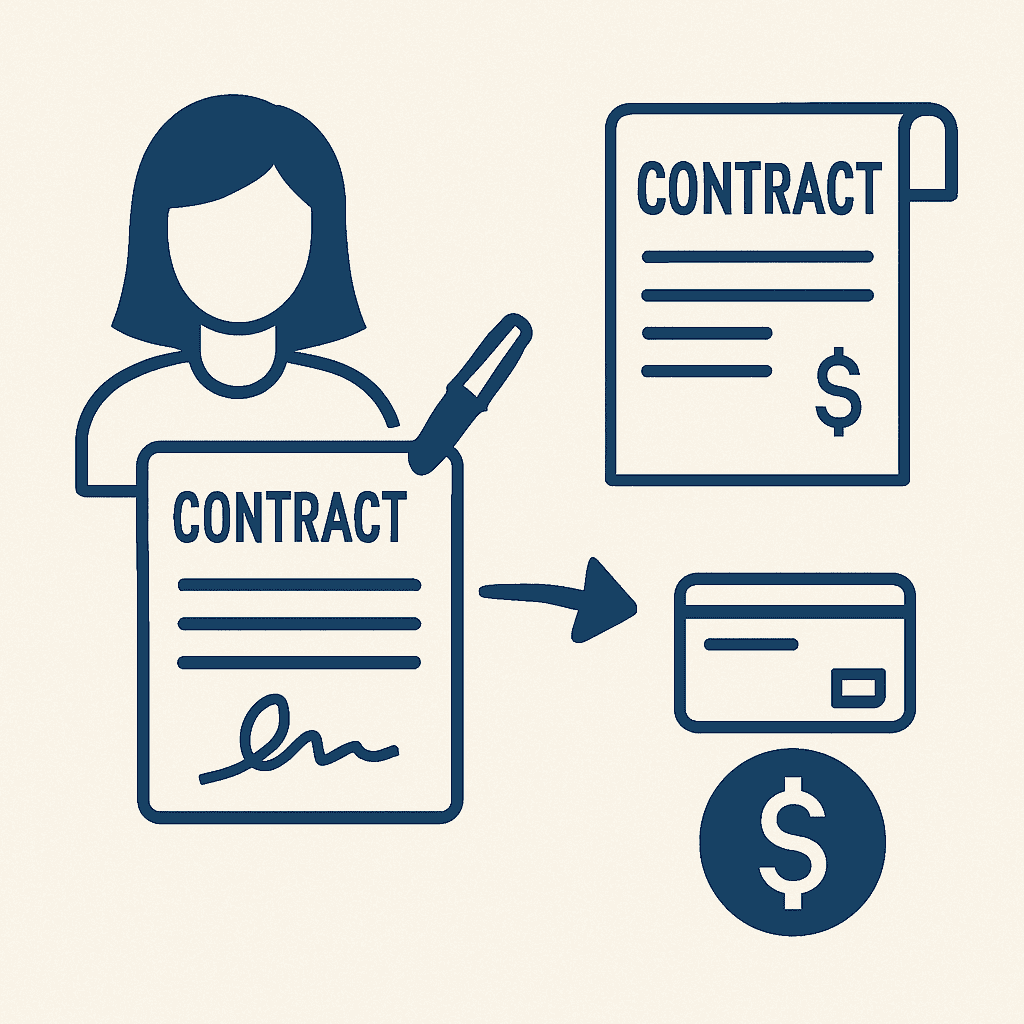
It is at this point that the author makes a decision: to use your services or go with someone else, or some other path. Their answer can be yes, no, or not now. Each response requires an answer from you, and the impact of that answer may determine if that person ever returns to you in the future.
So while parts of this process can be automated, I am going to emphasize again that AI can create drafts for you, but you MUST humanly check and proofread each draft, especially when it comes to emails and contracts. Fortunately, automation programs have the tools to do just that.
If the Author Says "No"
If the author says "no" to your proposal, my advice is to do two things: thank them for considering you, and move on. While others might have you pursue this lead further, I don't recommend it. The reason is simple: if you offer a first-timer discount or try to convince them some other way, you will set the precedent that they can negotiate. Even if you are in an "off season," don't do this just to get work. It's a poor practice.
But a thank you is important. Acknowledge the time they took to contact you and wish the potential client the best in all their endeavors. In my experience, once I get someone to agree to a consultation, the conversion rate to becoming a client is greater than 50%, and sometimes much higher. The biggest thing that holds them back is pricing, but I am okay with that. My work has a certain value (as does yours) and no one gets to determine or lower that value except for me.
Frequently, the author or client will go somewhere else, or talk to some other editors, and come back to you. That is a much better scenario, as they can see what others are charging and the kind of service they provide. Sometimes part of marketing is letting someone go knowing that you are good at what you do and provide great value. The right clients will come to you, and stay with you.
The thank you email can be automated and populated with personal information, such as the author name and title, by using a template inside of your email service or using tools like Mazaal. I recommend an automation triggered by you either a) changing a status in a spreadsheet or record in Airtable, or b) by pressing a button in an interface you have created on your website or in another web application. This process is simpler than you think, and can be used for any choice the author makes in this step.
If the Author Says Not Now
Similar to the "no" answer, this is a case where you thank the author and tell them to let you know when they are ready to get started. The only difference is that you can offer to let them book a time on your calendar for a small deposit. This helps the author set a deadline for themselves and helps you fill and hold a slot for them in your workflow.
One thing I do in these cases: if the author cancels in a certain window close to the deadline or just misses the deadline altogether, I charge them a "late fee." This is because you have set aside time for them and may have put off other work as a result. Their lateness may actually cost you money. But for the client, it creates another motivation for them to be on time with their work, and to carefully consider when they can realistically commit to completing their manuscript.
The email can be automated, along with providing the client with a booking link that will allow them to select available dates from your calendar. The automation can also send you an alert if the client accepts the book later option, complete with the dates they have chosen.
But ideally, the client will simply tell you, "yes, let's move forward." In that case, you have a lot of automation you can add to the process that will save you time, aggravation, and keep you from having to repeat simple tasks over and over again.
Yes! Contract and Invoice Automation
This next step can be a bit more complex to set up, but let's look a the steps and how much time it can actually save you. Along the way, I will offer a few caveats to exactly how I would set this up to make it work, including some privacy cautions for you to consider. Also a note here: when creating the various parts and clauses of your contract, it is advisable for you to run them by an attorney, another editor, and maybe even an agent to be sure your language protects you and the client sufficiently.
That being said, each service you provide should have its own section and language associated with it. For the purposes of this automation, each section sould live in a separate document, because you are going to use an automation to pull them all together based on what you are doing for this client. The easiest way to do this is to set up a form with the various services you offer. This form is for you to fill out, not the client.
You will need:
- A form or user interface designed to create a trigger
- Each section of your contract in a separate document.
- Merge Text for things like [Author Name] and [Title]
- A contract signature program like BreezeDocs or DocuSign
- An invoice creation program like Square, Stripe, Quickbooks, or something similar
The steps would look like this:
- First, you would fill out a form with the author information and the services selected, which will be taken by your automation program through an API or Webhook and put in a spreadsheet or Airtable record.
- The headings of this record would include the author information, and also a selection of the services you are providing, which can be in the form of a separate sheet for each inside of a single spreadsheet, or simply a selection in a column inside that spreadsheet.
- The automation would then assemble a document, likely a Word document or Google Doc containing the relevant sections.
- The automation will then run the Merge Text replacements with the author's name, book title, and will fill in the information for the signature blocks as well.
This is the part where human intervention comes in. You look over, evaluate, and edit the contract, ensuring everythng has been added correctly and in the right order, and that no sections have been missed or scrambled somehow. Then you would save the document as a PDF and then upload it or move it to your document signing portal. You can automate this a little bit, by adding the PDF to a folder in GoogleDrive, OneDrive, or DropBox, and automating the upload process, but this does not save you a lot of time in the long run, so it is probably not worth it. However...
- Once the author signs the contract, it is automatically downloaded (or you can do it manually, either way). This is a chance to check signatures and make sure they are valid).
- Once you (or your automation) adds the contract to a specified folder, the automation takes over again. Based on the language and finances outlined in the contract, it will create and send an invoice for a deposit from the client. This is usally 50% for individual clients and 25-35% for corporate clients.
- The automation is triggered again when the invoice is paid, and sends you a notification, usually in the form of an email, that you can now begin work on the project.
This concludes the "landing of the client" process. If you invoice your clients at regular intervals before the final payment is due, you can also automate the creation of these monthly or timed invoices (or if you bill by project milestone, another automation opportunity) and recieve notifications when they are paid.
The other aspect of automation involves your accounting software and its capabilities. This software can automatically categorize income, track payments per project, create projections, cashflow reports, recommendations, and more. How far you go down that rabbit hole is up to how you want to run your business.
But once we have the client onboard, we start the next phase of the process: dong the work. While some of this can include automations and even AI, that must be evaluated on a case by case basis, and in the next chapter, we will explore how to make those choices.
The Editing Process and Automation
Much of the editing process cannot be automated. But there are tools that can be a part of the process and make you more efficient as an editor. These tools will be explained futher on individual pages. See the overview here, click to the type of editing page for more detail, and then return here to continue to learn more.
Developmental Editing
Developmental editing is the most comprehensive and foundational stage of the editing process. It focuses on the big-picture elements that determine whether a manuscript works as a cohesive, compelling story. This type of edit examines the structure and pacing of the plot, ensuring that events unfold logically, tension builds appropriately, and the story keeps readers engaged from beginning to end.
A developmental editor also evaluates character arcs and development—are the characters believable, well-motivated, and emotionally resonant? Are their journeys satisfying and consistent with the story’s themes? Subplots and themes are also carefully assessed to determine how well they support the main narrative and whether they add depth or confusion. In addition, the editor looks at narrative flow, tone, and whether the point of view is effective and consistent throughout.
This stage typically includes a detailed editorial letter outlining strengths, weaknesses, and high-level recommendations, along with in-manuscript comments that point to specific areas needing improvement. Because developmental edits often require deep revisions, one or more rounds of editing may be needed before the manuscript is ready for line or copyediting.
While AI-powered tools like Fictionary and ProWritingAid can offer a helpful overview or starting point—especially when analyzing structure or tracking plot points—they shouldn’t be relied on for final judgment. A human editor brings critical insight, emotional intuition, and contextual understanding that software tools simply can’t replicate.
Line Editing/Copy Editing
Line editing, sometimes referred to as stylistic editing, focuses on the craft of writing at the sentence level. This stage is all about improving clarity, rhythm, and flow—ensuring that each sentence reads smoothly and effectively supports the overall tone and mood of the story. Line editors refine word choice, tone, sentence structure, and transitions to help the author's voice shine while enhancing readability.
Unlike developmental editing, which looks at what the story is, line editing focuses on how the story is told. This process typically includes tracked changes within the manuscript and marginal comments to explain suggestions and guide the author through revisions.
Proofreading and Proofreading Tools
Proofreading is the final step in the editorial process, serving as a meticulous quality check before a manuscript is published or formatted. At this stage, the focus is on catching any lingering errors that may have been missed during previous rounds of editing—typos, punctuation mistakes, formatting inconsistencies, and layout issues.
Proofreading is typically performed on a near-final version of the manuscript, such as a print layout, PDF, or ebook proof, where visual elements like spacing, headers, and page breaks can also be reviewed. The goal is to ensure the manuscript is clean, polished, and ready for professional presentation—whether it's going to print, being uploaded to a platform, or submitted to agents or publishers.
Final Handoff to the Client
Once the editing process is complete, the final handoff marks the official transition of the manuscript back to the author. This includes delivering all finalized materials: a clean manuscript file, tracked-changes version, editorial letters, and style sheets. Everything is organized for easy reference, so the author knows what was changed and why.
But support doesn’t always end there. Many editors offer post-edit services—answering follow-up questions, clarifying suggested changes, or reviewing formatting before publication. For authors preparing to self-publish, editors may also refer trusted professionals such as formatters, cover designers, or virtual assistants who can help with uploading to platforms like Amazon KDP, IngramSpark, or Draft2Digital. While parts of this handoff process can be automated using templates or delivery systems, it’s important to have a clear boundary that distinguishes editing from publishing support—unless you intend to offer those services as part of a package or ongoing relationship.
Automation and Systems Support
Editors, authors, and creative entrepreneurs can greatly benefit from implementing systems that streamline recurring tasks. For time management, tools like RescueTime and the Pomodoro technique can help you stay focused and ensure you're using your working hours effectively. Smart scheduling platforms like Motion or Superhuman allow you to block time efficiently and prioritize deep work.
On the communication front, tools like SparkMail and Superhuman offer fast, streamlined email management, while social media platforms such as VistaSocial, Buffer, or Hootsuite can automate your content scheduling across multiple channels. If you're handling large volumes of inquiries, direct message automation tools can respond to incoming messages without crossing ethical lines—by replying to questions rather than sending cold outreach. And for everything else (like dog-wrangling)? That’s on you—but we believe in you!
Business Operations and Decision Filters
Behind every creative service business is a system for managing money, time, and logistics. Don’t ignore the back end: tools for accounting and cashflow management, such as QuickBooks, Wave, or even a well-structured spreadsheet, can make all the difference in staying profitable and prepared. Business administration tasks—from onboarding clients to maintaining contracts—can be templated, systematized, or outsourced over time to save you energy.
Whenever you're evaluating a new task, ask yourself:
- Is this the best use of my time?
- Is this task even necessary?
- Can I automate this task?
- If not, can I outsource it?
These questions will help you stay in your zone of genius while still running a professional, efficient, and scalable business.
Copyright 2025, Troy "the Plot Dude" Lambert, All Rights Reserved
“Plot Nihilists believe in nothing. Don’t be like them.”